Custom AI insights
AI Email Assistant for Small Business: Triage, Drafts, Follow-Ups, and Human Approval
A useful AI email assistant does more than write. It can prioritize messages, summarize threads, prepare replies, and keep follow-ups from disappearing.
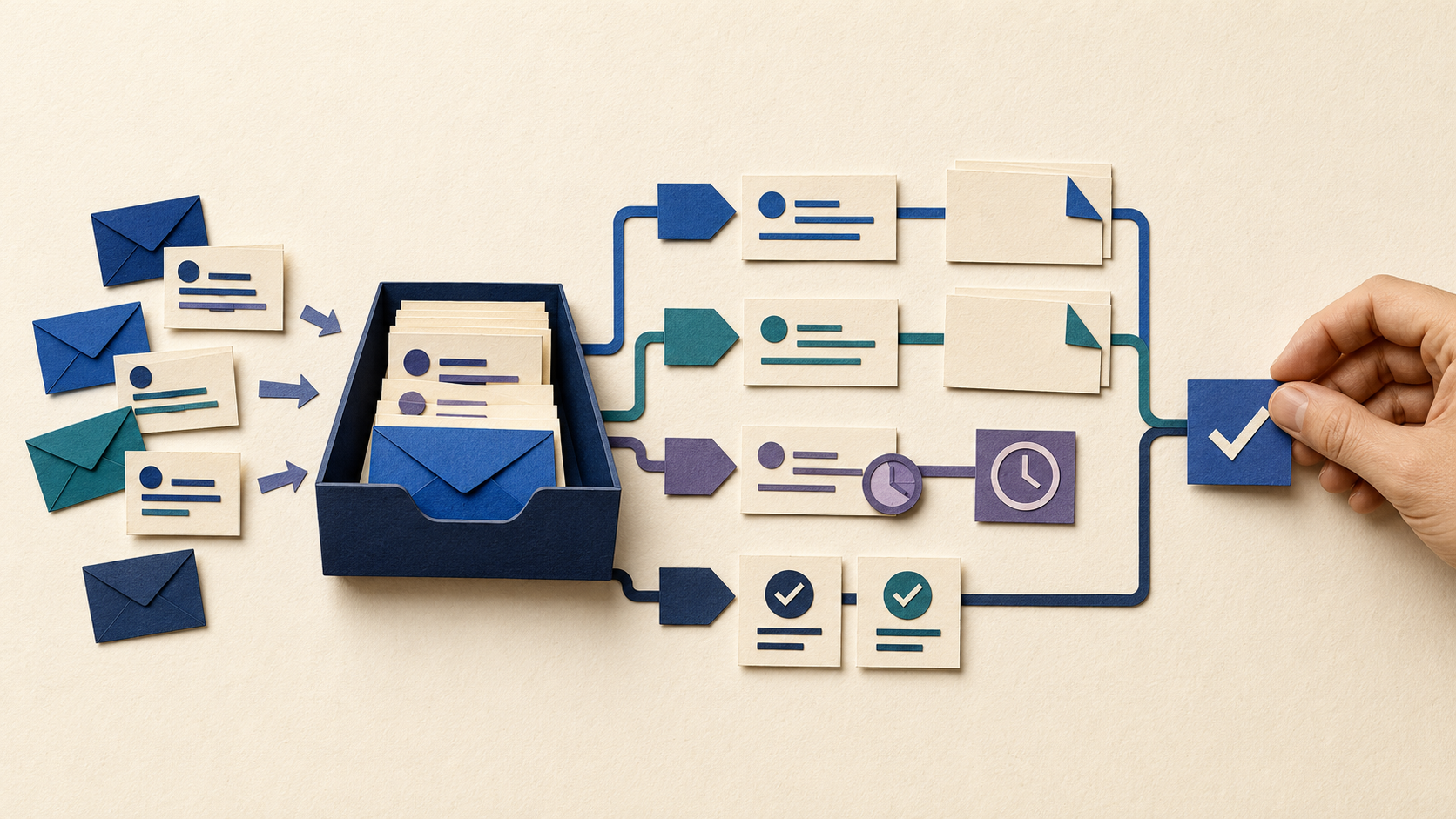
Email is where a lot of small-business work quietly piles up.
New leads, customer questions, vendor updates, invoices, scheduling requests, approvals, and follow-ups can all land in the same inbox. The problem is rarely that any one message is difficult. The problem is that someone has to read, sort, remember, answer, and follow up on all of them.
An AI email assistant can help with that workload, but the useful version does more than make sentences sound polished.
What Is an AI Email Assistant?
An AI email assistant connects language understanding to the inbox workflow.
It can classify messages, summarize long threads, extract what needs to happen next, prepare drafts, identify unanswered conversations, and route certain messages to the right person.
Depending on the permissions you give it, the system may only create suggestions or it may also update a CRM, create a task, or prepare a follow-up for approval.
The right level of automation depends on the risk of the message.
Start With Triage
Triage is one of the safest and most useful places to begin.
An assistant can separate urgent customer issues from newsletters, identify new sales inquiries, flag messages waiting on your response, and produce a short morning summary.
That does not require the AI to speak for the company. It simply helps people find the messages that matter.
For a busy owner or small team, reducing the time spent scanning an inbox can be valuable before any automatic reply is added.
Draft Routine Replies From Approved Information
Drafting works best when the assistant has reliable context.
Instead of asking a model to invent an answer from a single email, connect it to approved information such as service descriptions, policies, common responses, pricing rules that are safe to share, and customer history that the user is allowed to access.
The assistant can then prepare a first draft for a person to review.
This is especially useful for repetitive questions where the facts are known but the wording changes.
Use AI to Catch Follow-Ups
One of the easiest ways to lose a lead is to forget a conversation that looked promising three days ago.
An AI workflow can identify threads where the business is waiting for a response, threads where the customer is waiting for the business, and messages that contain a promised next step.
It can then create a reminder or prepare a follow-up draft.
The workflow should distinguish between a sales follow-up, an overdue invoice, a support issue, and someone who should not receive marketing messages. Context matters.
Turn Email Into Organized Work
Email often contains tasks that never make it into a task system.
A customer asks for a revised quote. A vendor needs approval. A client requests a date change. A prospect sends details that belong in the CRM.
An AI assistant can extract those actions and prepare structured records or tasks so the information does not stay trapped in the inbox.
This is where email automation begins to connect with the rest of the business.
Keep Human Approval for High-Risk Messages
Automatic sending should be a deliberate choice, not the default.
Pricing exceptions, refunds, complaints, contracts, legal issues, financial commitments, sensitive customer situations, and unusual requests should normally wait for human review.
The assistant can still save time by summarizing the thread and drafting a response.
Human approval is not a sign that the automation failed. It is a design decision about responsibility.
Protect Customer Data and Inbox Access
Email contains far more than the message visible on the screen.
An inbox may hold customer records, financial documents, account details, private conversations, and internal business information. Before connecting AI, understand what the system can read, which provider processes the data, what is logged, and what permissions are actually required.
Give the assistant the smallest useful level of access.
An email summarizer does not automatically need permission to send, delete, or modify every message.
Measure Whether It Actually Helps
Useful measures include first-response time, number of missed follow-ups, drafting time, inbox backlog, percentage of messages routed correctly, and the amount of human correction required.
If staff still rewrite every draft from scratch, the system is not saving much.
The goal is not an AI-filled inbox. It is less inbox work.
Want an Email Assistant Built Around Your Workflow?
If email is functioning as your sales queue, support desk, task list, and memory system, there is usually an opportunity to simplify it.
Custom AI By Design can help build an email workflow that triages, drafts, follows up, and connects to the rest of your tools while keeping approvals where they belong.
Is your inbox doing the job of three different systems?
Show us the email work your team repeats every day. We can help separate what AI can safely prepare from what should stay behind a human approval step.
Discuss Your Email Workflow ↗